Skip to content
  1. Home
  2. Features
Features

Everything TALKSEN does for your conversation

Sentence-by-sentence translation, QR code invitations, face-to-face mode, one voice per person, vocabulary, history: each feature solves a problem we ran into in real conversations.

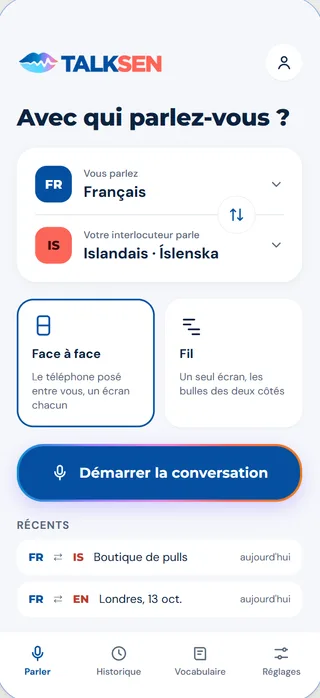
TALKSEN home screen
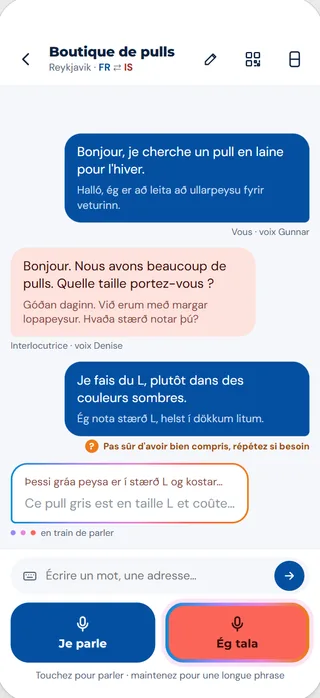
Sentence by sentence

A whole sentence, the whole meaning

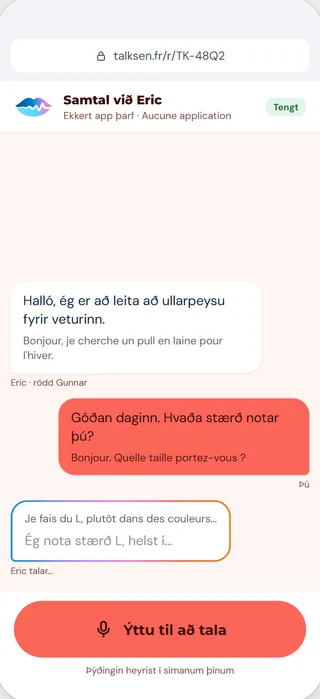
TALKSEN waits for the end of your sentence and translates all of it: the meaning is kept better than when the translation follows your voice word by word. The other person hears it about a second and a half later, in a natural voice.

  • The translated text is also shown on screen, so you can reread it.
  • 14 languages, all tested with real voices.
  • If you start speaking again, playback stops so TALKSEN can listen to you.
TALKSEN Sentence by sentence screen
QR code invitation

Nothing to install for the other person

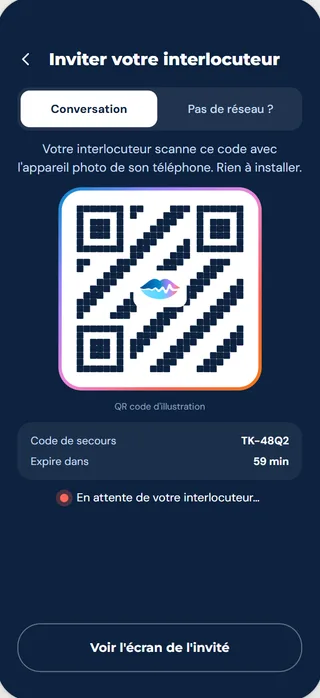
You show a QR code, they scan it with their phone’s camera. The conversation opens in their browser, already in their language. A backup code lets them join if the scan does not work.

  • A secure invitation, valid for one hour.
  • The guest page is translated into the other person’s language.
TALKSEN QR code invitation screenTALKSEN QR code invitation screen
Face to face

One phone, placed between you

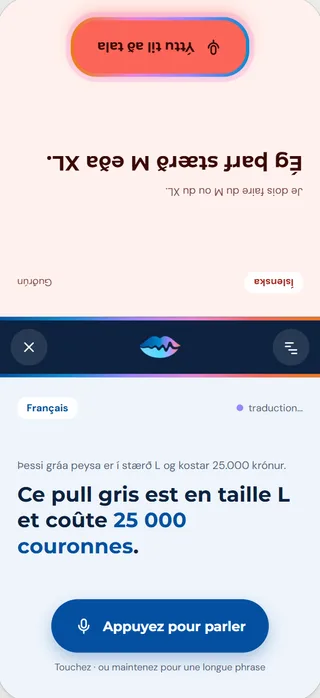
At a counter or a table, the screen splits in two: the top half flips around for the other person. Each of you reads the right way up and taps your own button to speak.

  • Ideal when the other person does not have their phone to hand.
  • The two buttons stay clearly separate, each in its own colour.
TALKSEN Face to face screen
One voice per person

You always know who is speaking

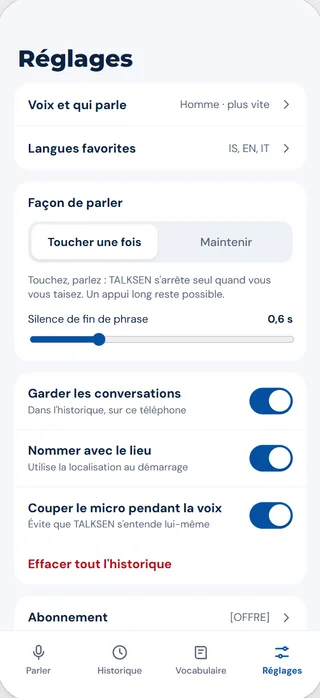
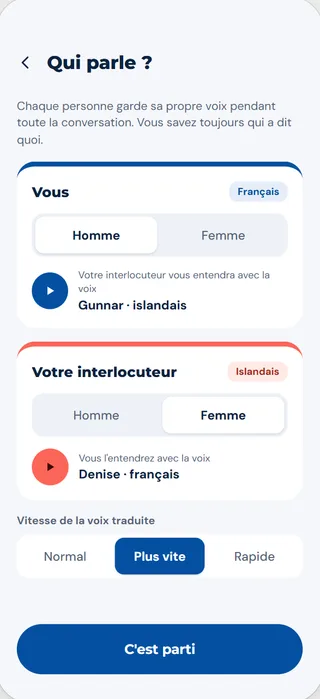
Male or female, low or high: each person keeps their own translated voice throughout the conversation. Even between two people of the same sex, the voices stay distinct.

  • Natural voices in every language.
  • Three reading speeds: normal, faster and fastest.
TALKSEN One voice per person screenTALKSEN One voice per person screen
Vocabulary

Your names, kept intact

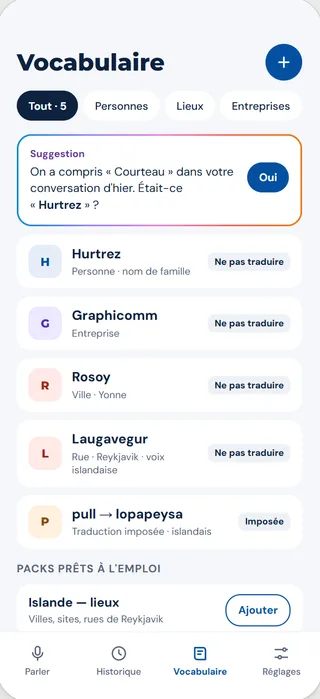
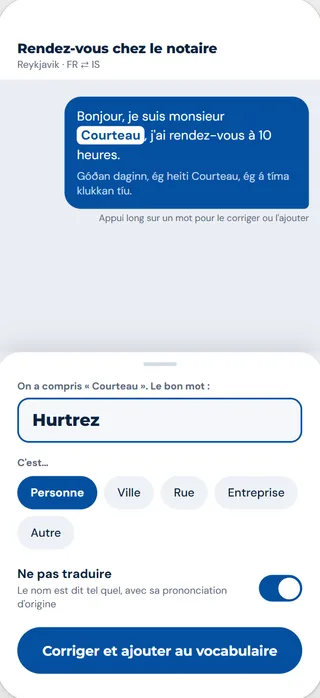
A name misheard? Long-press the word, correct it, and TALKSEN will recognise it better next time. People, streets, towns, companies, dish or product names: once in your vocabulary, they are recognised more reliably by voice, and TALKSEN avoids translating them.

  • A vocabulary sorted by category, easy to review.
  • Your vocabulary is checked again after every translation.
TALKSEN Vocabulary screenTALKSEN Vocabulary screen
History

A history that remembers

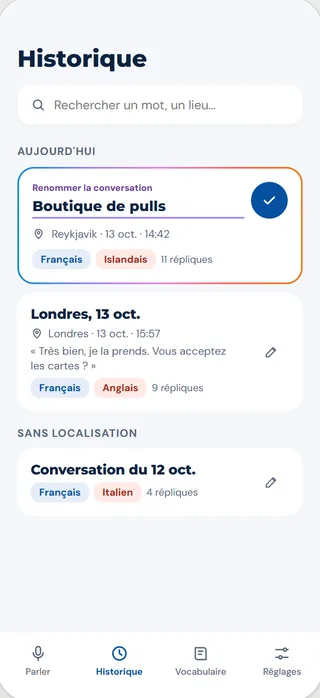
Every conversation is kept on your phone and named after the place: “Reykjavik, 14 October”. You can rename it, search it, or switch history off at any time.

  • The place is rounded to the nearest kilometre, and only if you allow it.
  • Search by word or by place.
TALKSEN History screen
Backup keyboard

When your voice is not enough

An address, a number, a hard-to-pronounce word: type it, and TALKSEN translates it and reads it to the other person. And if a sentence may have been misunderstood, an orange “?” invites you to repeat it.

  • Ideal in noisy places.
  • Typed text is translated just like speech.
TALKSEN Backup keyboard screen

Be one of the first to try TALKSEN

Sign up to hear about the launch.